 Guitar Master
 › The guided tour
The guided tour
The app as it really is: five videos, then twelve steps in screenshots. We start from one song, and every tool uses it.
On video
Step by step, in screenshots
Step 1 · The song at the center
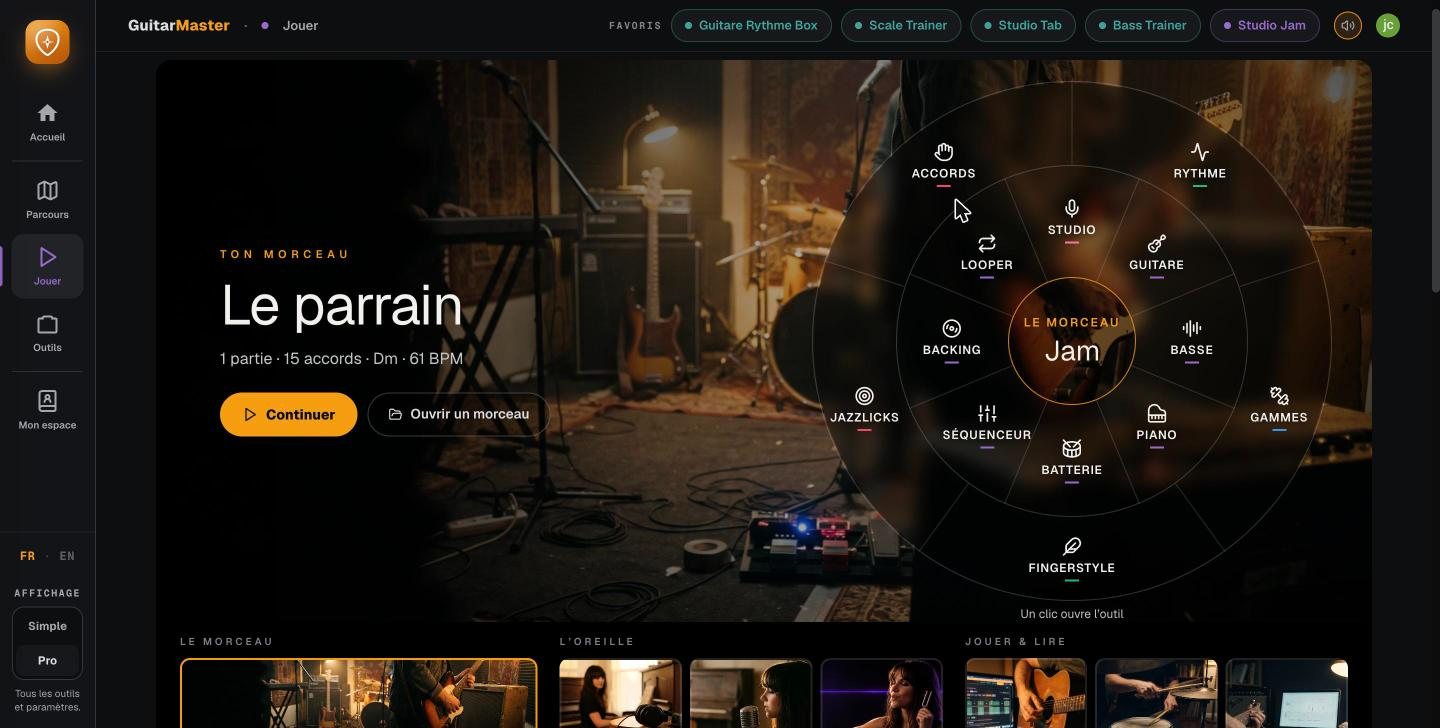
Everything starts from the Jam
The “Play” screen puts your song at the center. Around it, all the tools: chords, scales, bass, piano, drums, fingerstyle, jazz phrases, studio, looper, sequencer. One click opens the tool, already set to that song.
Step 2 · The band plays
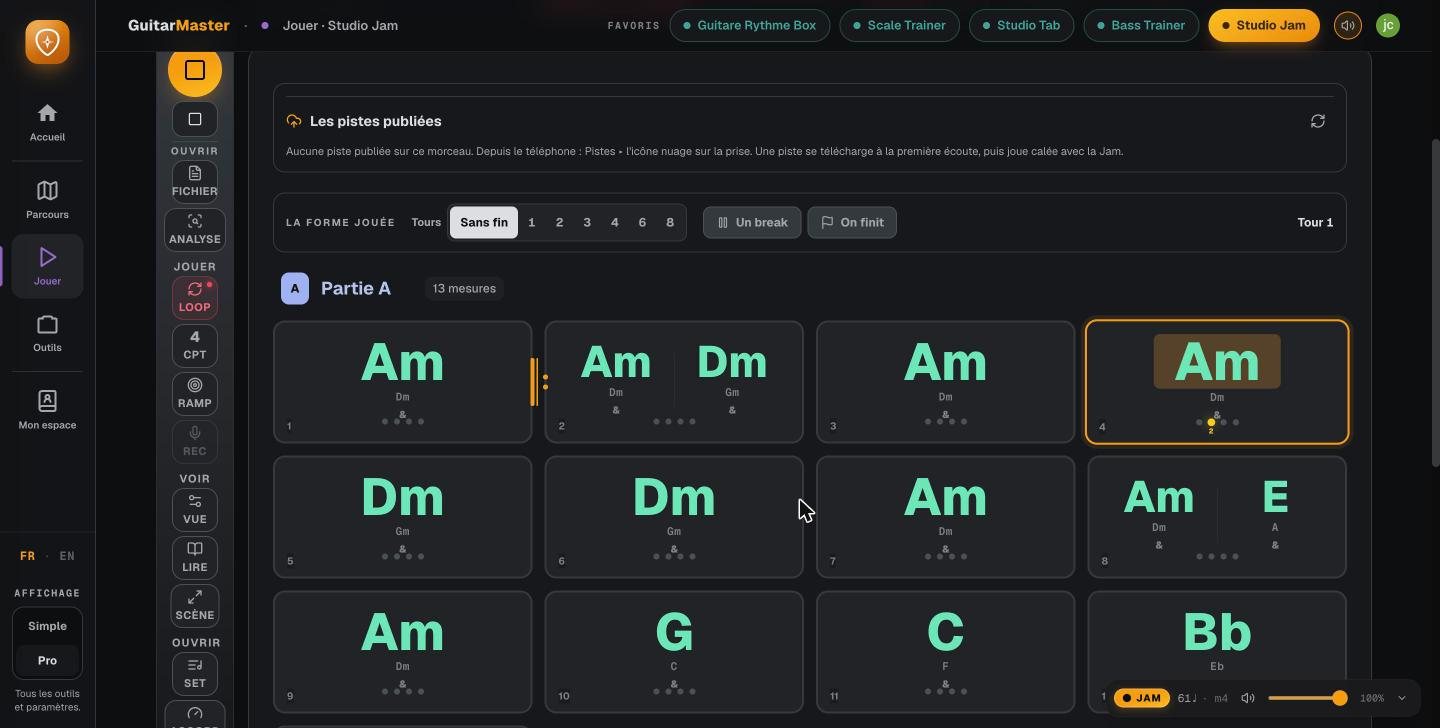
Your chord chart, played by a band
In the Jam, the chord chart is written in sections, and the bass, drums and piano play it right away. The current bar lights up, the tempo is adjustable, and so is the number of times through. All about the Jam.
Step 3 · Or a standard, a blues
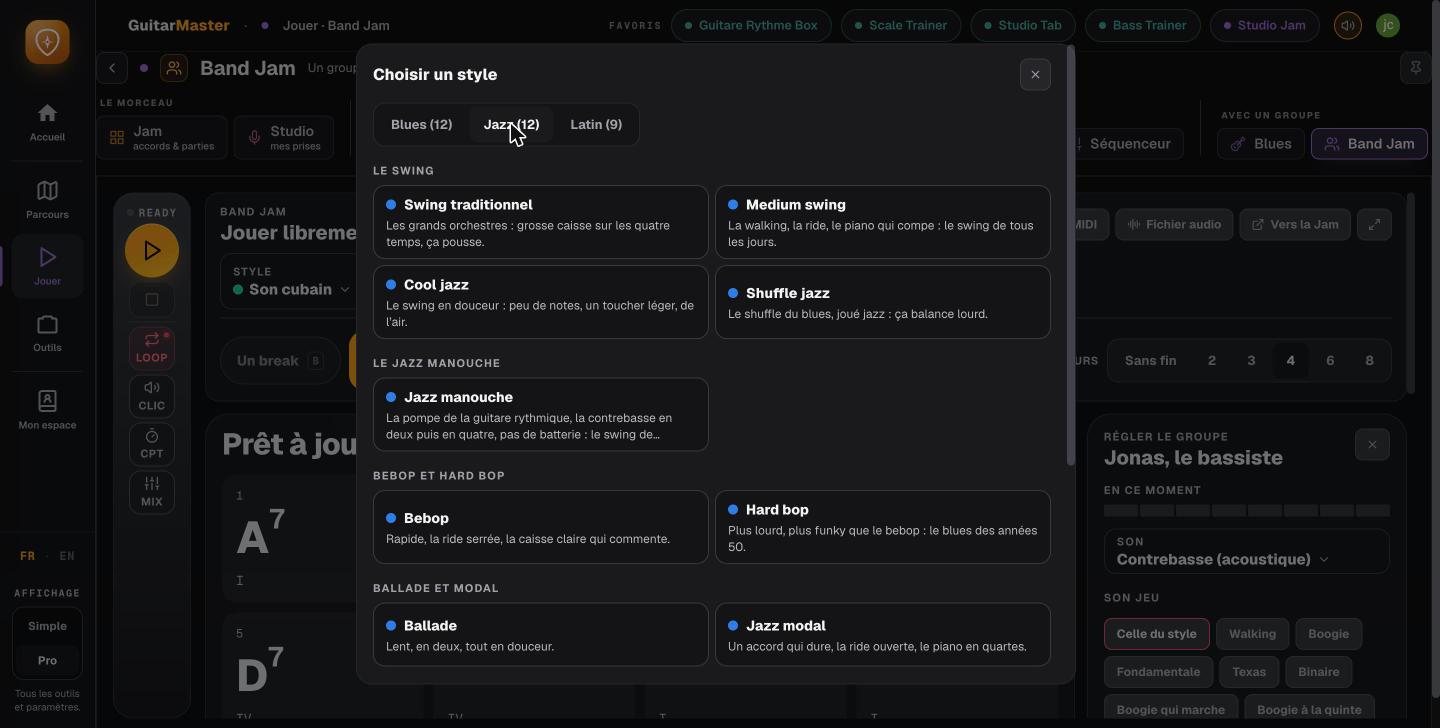
Band Jam: choose a style
No chord chart at hand? Band Jam offers backing for blues and more than two hundred jazz standards, in thirty-three styles: twelve blues, twelve jazz (from traditional swing to modal jazz, by way of bebop and gypsy jazz), nine Latin. All about Band Jam.
Step 4
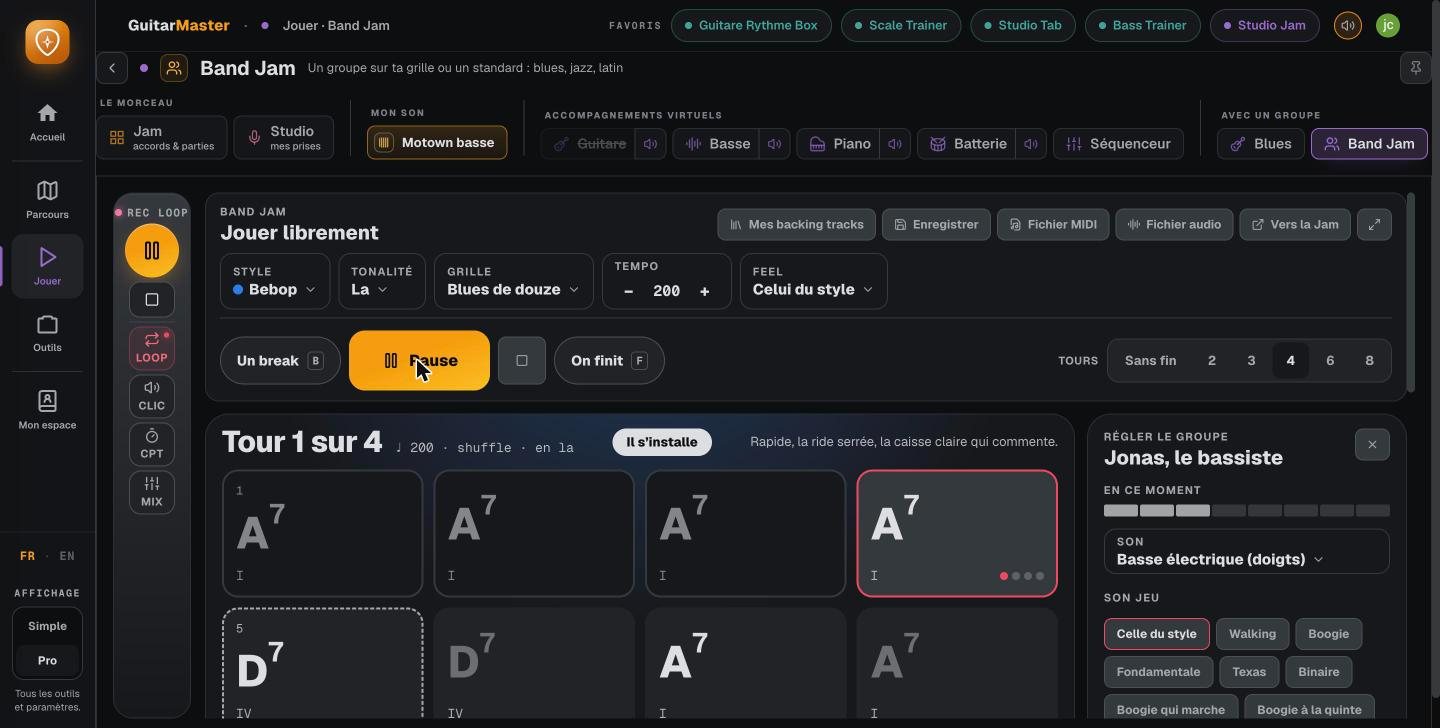
The band settles in
A blues in A, bebop style, at 200 BPM: the band plays its four choruses, each musician is adjusted on the right (here Jonas, the bass player, and his playing: walking, boogie, root notes…), and the music doesn’t stop while you change a setting.
Step 5 · The chord chart becomes an exercise
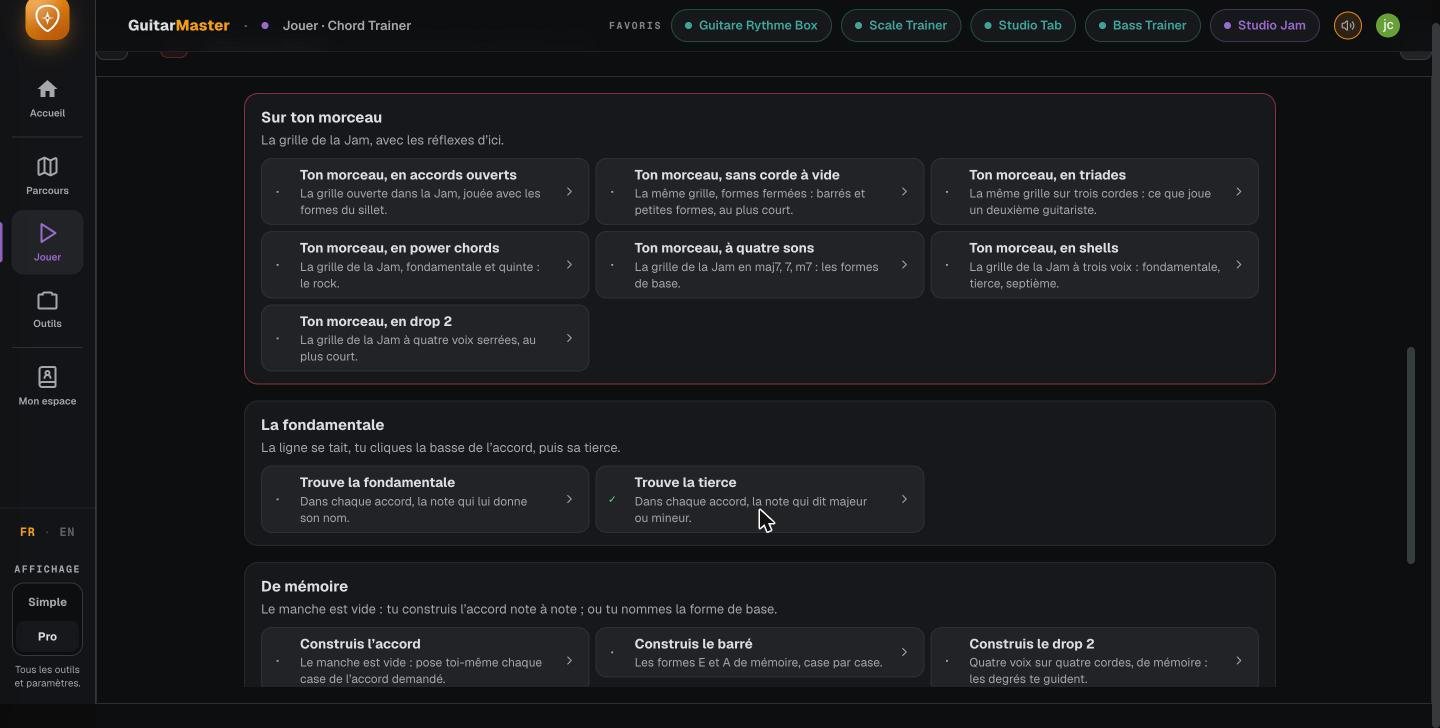
Your song’s chords, seven ways
The Chord Trainer takes the Jam’s chord chart and has you play it as open chords, without open strings, as triads, power chords, four-note chords, shells or drop 2.
Step 6
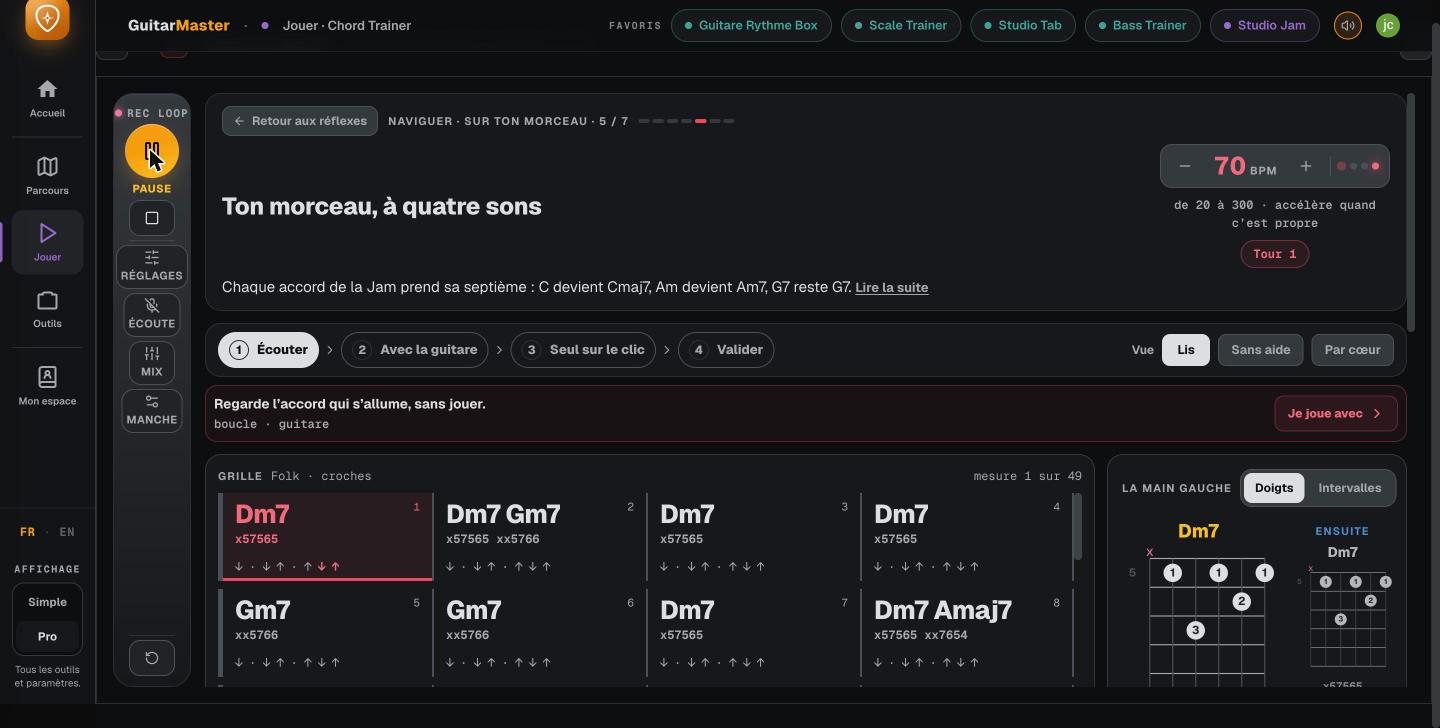
Every chord, with its fingering
Here, the chord chart as four-note chords: each chord gets its seventh, the app chooses voicings close to one another, shows the fingering of the current chord and the next one, and plays the chart. You listen, play along with the guitar, then alone with the click, then check it off.
Step 7 · Scales and arpeggios
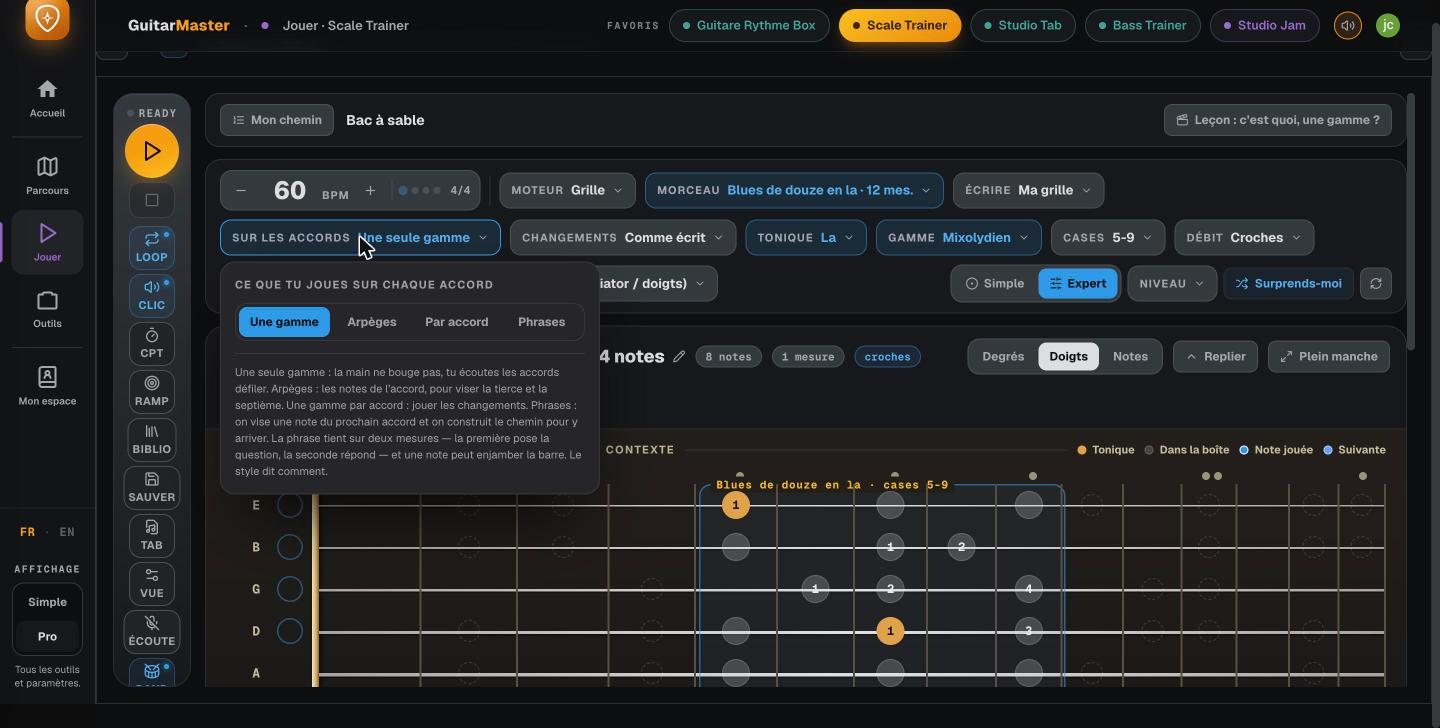
Over each chord: a scale, the arpeggios, or phrases
The Scale Trainer takes the same chord chart (here a twelve-bar blues) and offers you, over each chord, a single scale, the arpeggios, one scale per chord, or phrases. Everything is adjustable: the position on the neck, the note rate, working bar by bar, the guitar.
Step 8
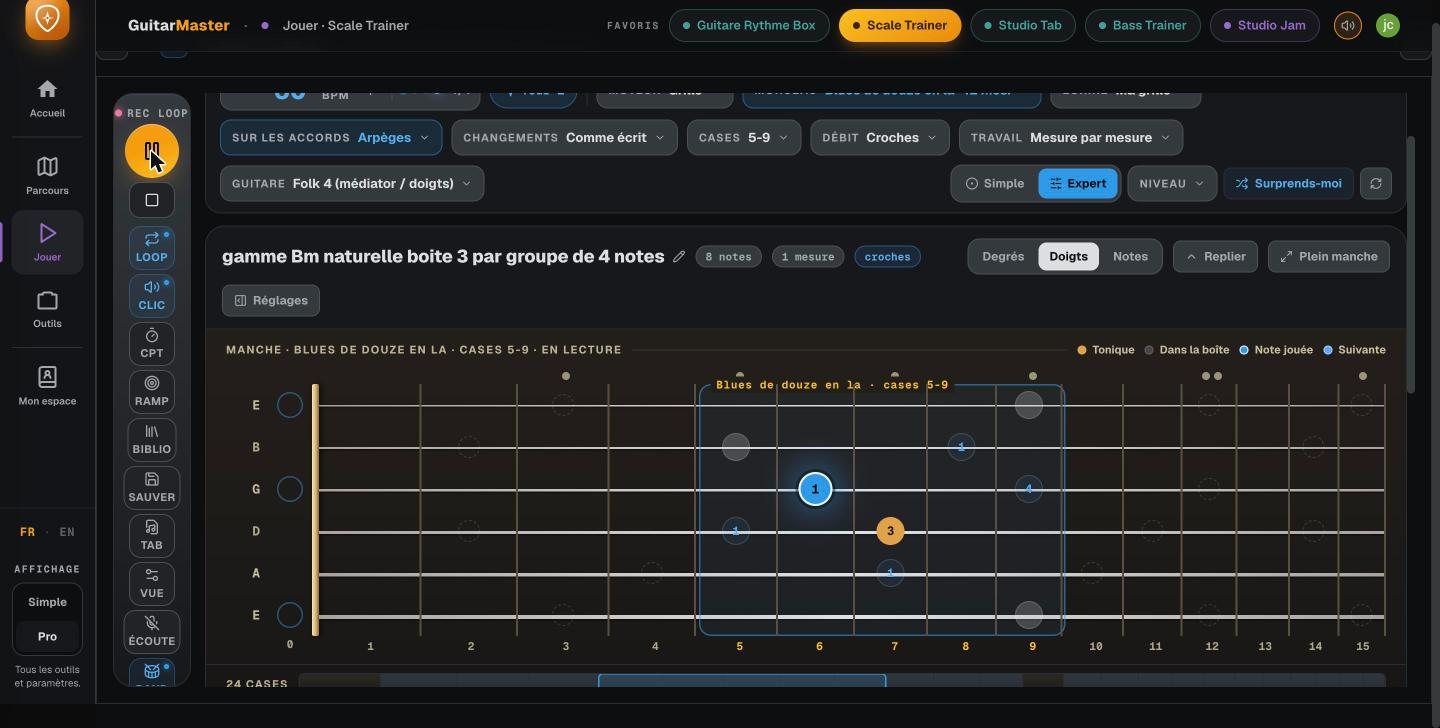
The exercise plays, the fretboard follows
During playback, the note being played lights up on the fretboard and the cursor moves through the tab, which is generated automatically. The tempo goes up once it’s clean. All the exercises.
Step 9 · Fingerpicking
A well-known pattern, over a song’s chords
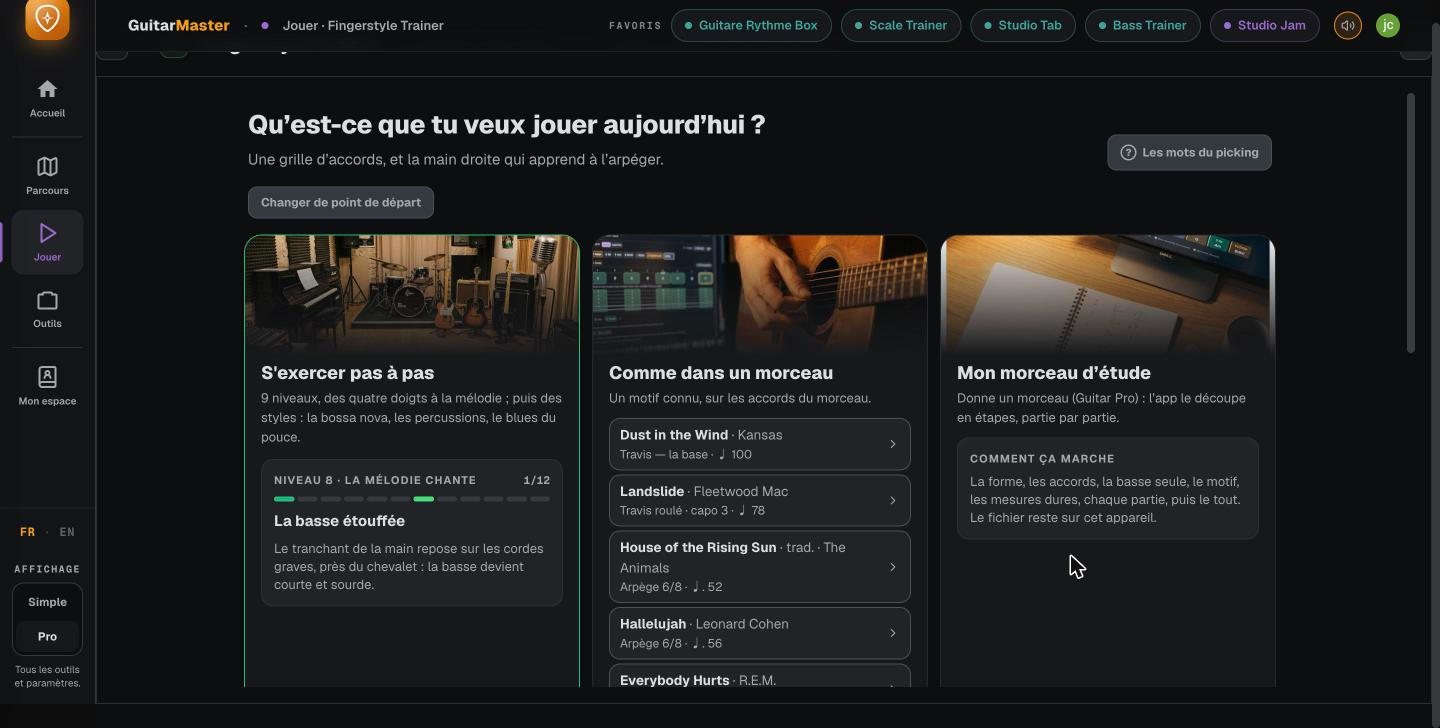
The Fingerstyle Trainer offers a step-by-step path, patterns taken from well-known songs, and “My study piece”, which breaks a Guitar Pro tab down into steps.
Step 10
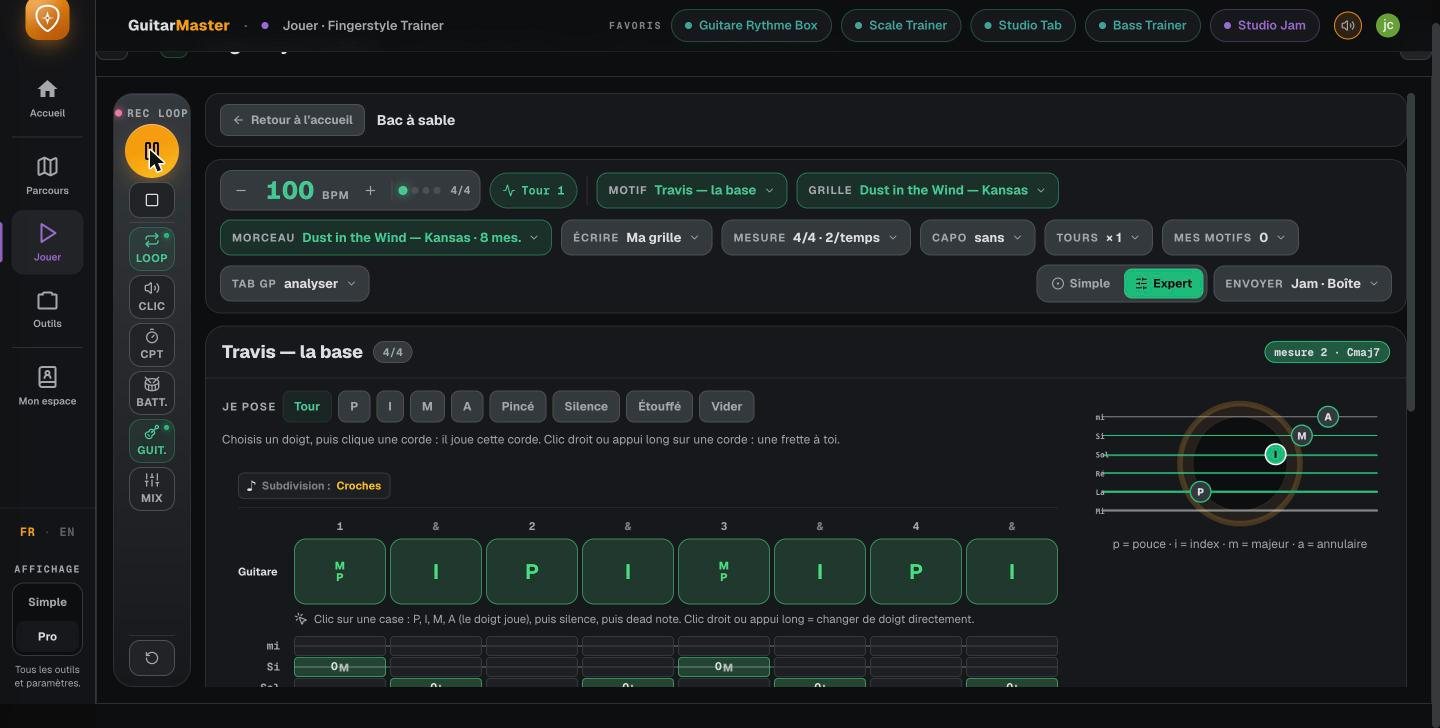
Writing your own pattern, finger by finger
The pattern is written step by step: thumb, index, middle, ring, pinch, rest, muted. The app plays it over the chord chart, shows which string is played by which finger, and writes it out in tab.
Step 11 · The bass
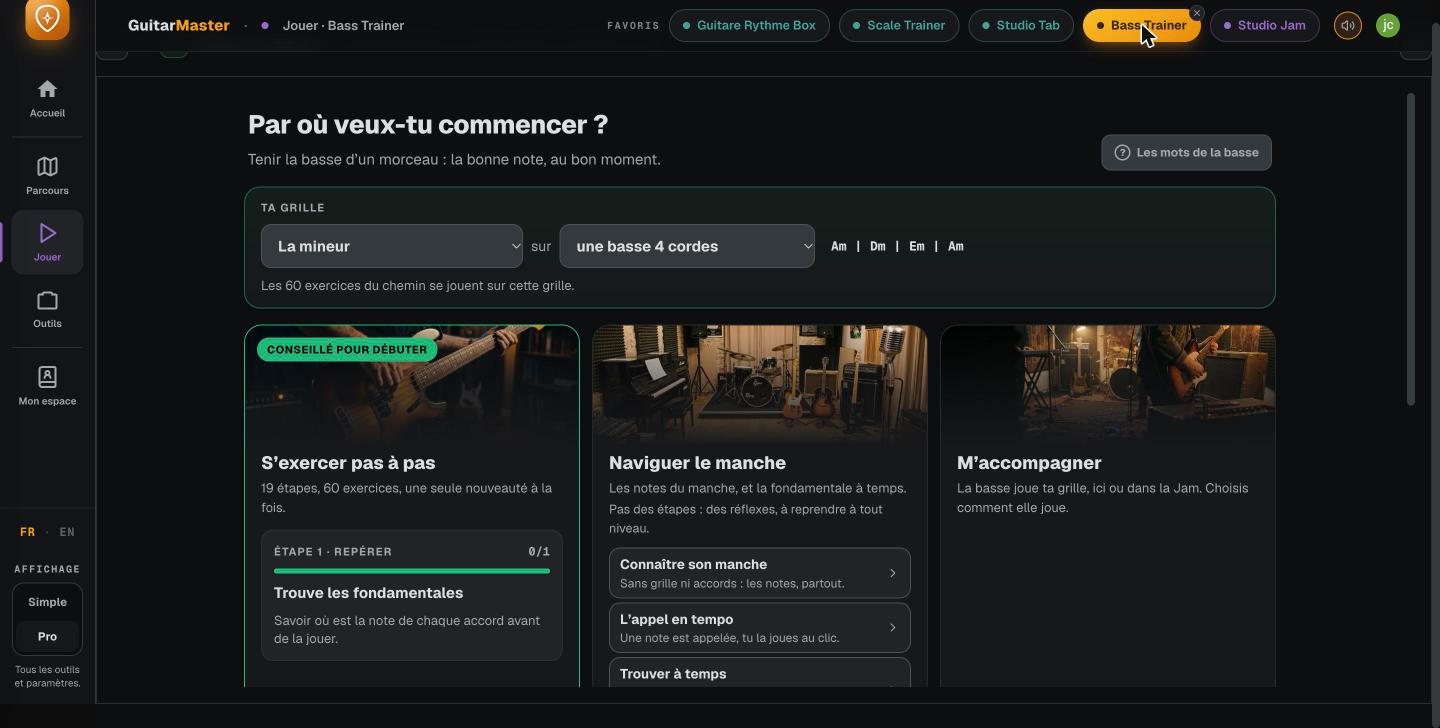
Bass players have their own path
The Bass Trainer starts from a chord chart: practice step by step, navigate the fretboard, or let the bass accompany you. For bass players.
Step 12 · In your pocket
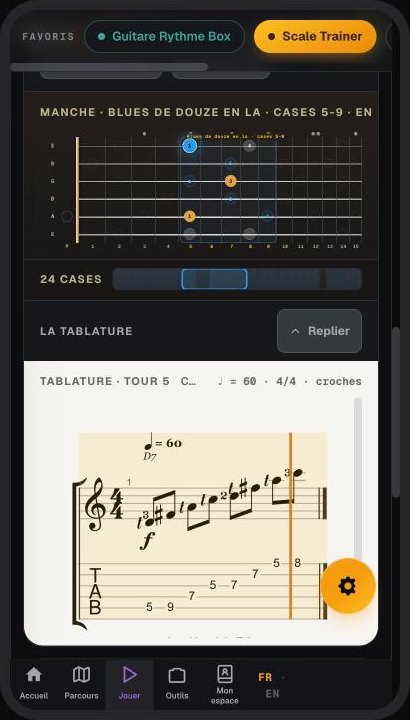
The same exercise, on the phone
On the phone, the fretboard and the tab follow playback in the same way, with the same account. The mobile app.
These features are part of Guitar Master’s full access (€14.90 a month, no commitment, opening soon; included for students taking lessons). The core tools stay free for everyone.
Frequently asked questions
Are these real screenshots of the app?
Yes: they’re screenshots of the live app, taken in November 2026, with no retouching.
Do you need an account to try it?
Yes, the account lets you find your songs and your progress from one device to another. Creating it takes a minute, and a core set of tools stays free.